
One App for All Your File Management Needs.

Clean phone camera rolls, clear system caches, import directly from iPhone over USB, verify lossless audio, and organise local folders on macOS and Windows.

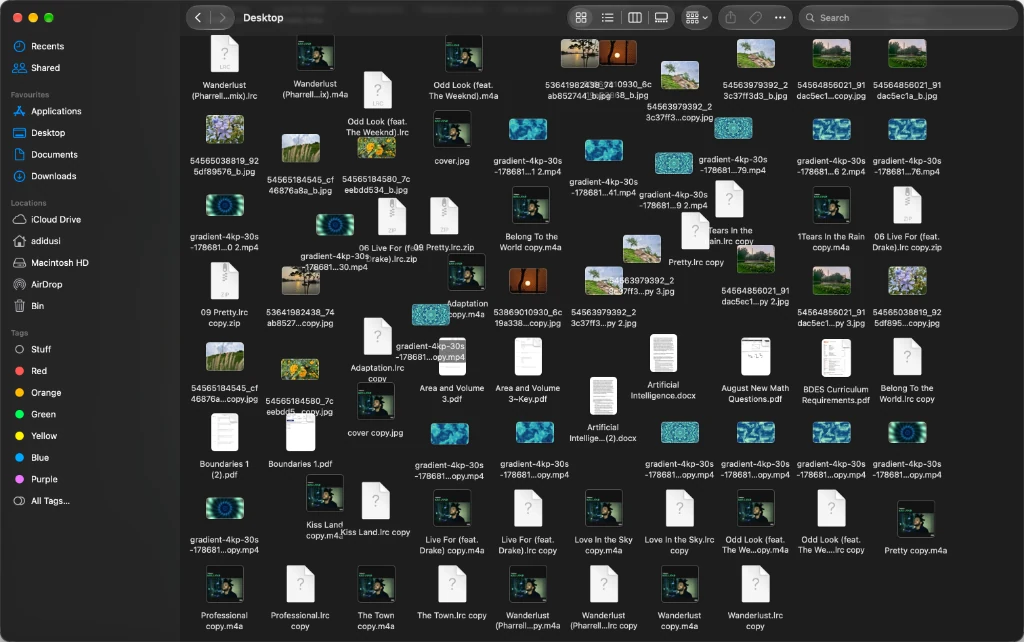
Move across the preview to compare.

Mango Clean workflow

Clean and organise a local folder or an imported phone gallery in one reviewed pass.

  1. Import folders from your computer or an external drive.
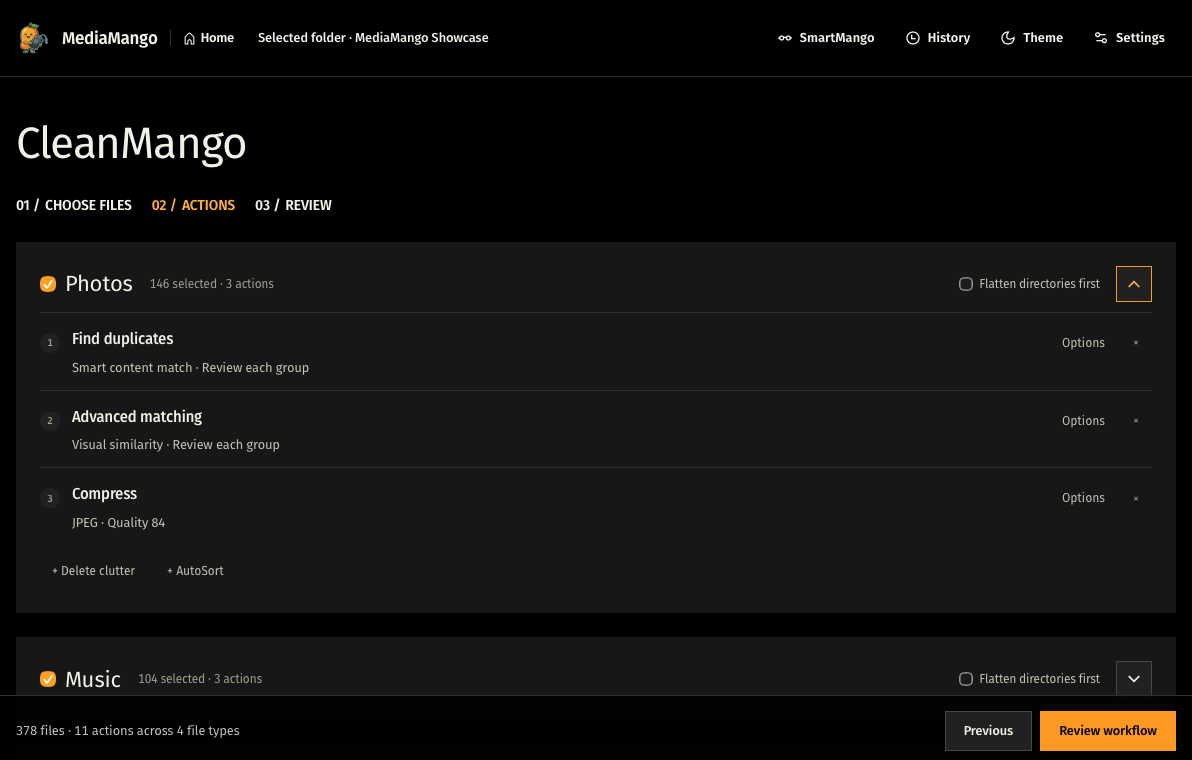
  2. Choose actions to find duplicate and similar photos, clear screenshot and WhatsApp clutter, compress media, or sort files into dated folders.
  3. Review and apply. Compare duplicates and preview the folder structure before confirming changes.
Read the Mango Clean guide
Mango Clean Actions screen showing duplicate detection, visual matching and photo compression options

Features

Everything runs locally on your computer with no cloud uploads and no account required.

System Cleaner

Scan application caches, build leftovers, system logs, Trash bins, and large forgotten downloads by category. Review exact file sizes and folder paths before removing anything, or open the Storage Analyser to see what is taking up space on your drive.

System permissions
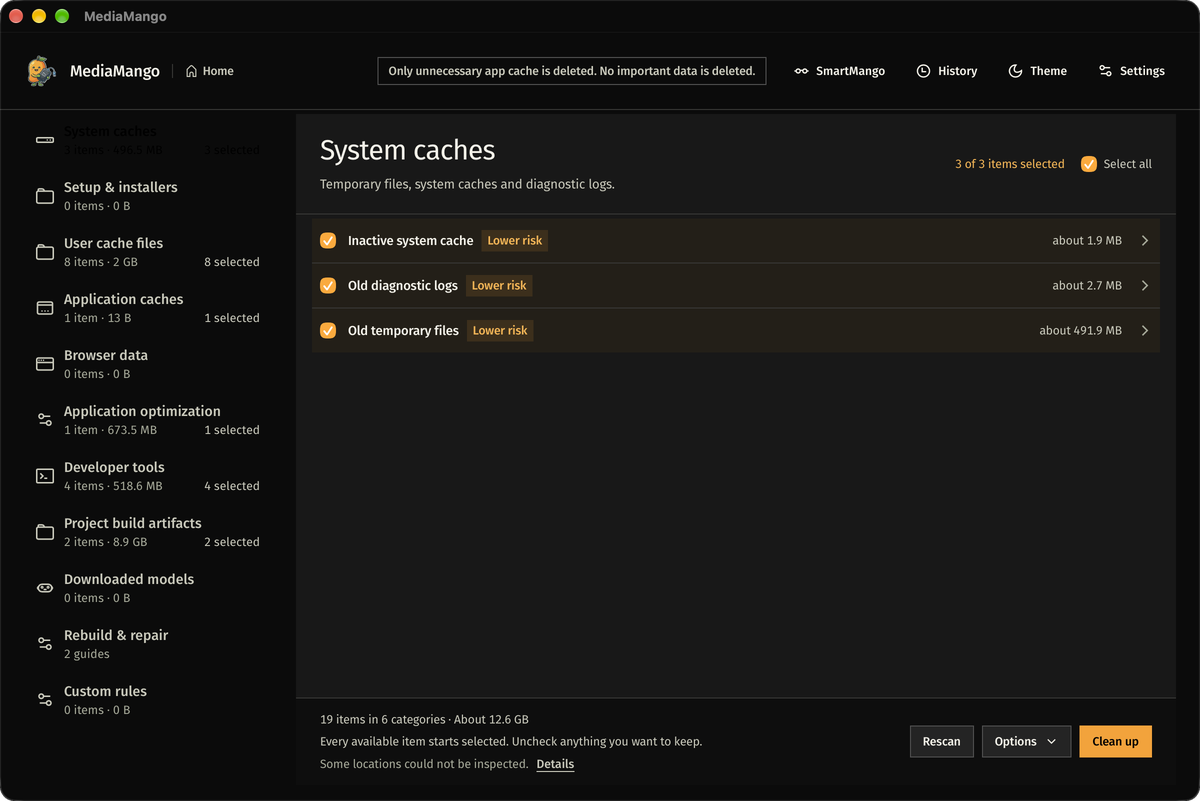
MediaMango System Cleaner scanning system caches and removable items

Audio Authenticity

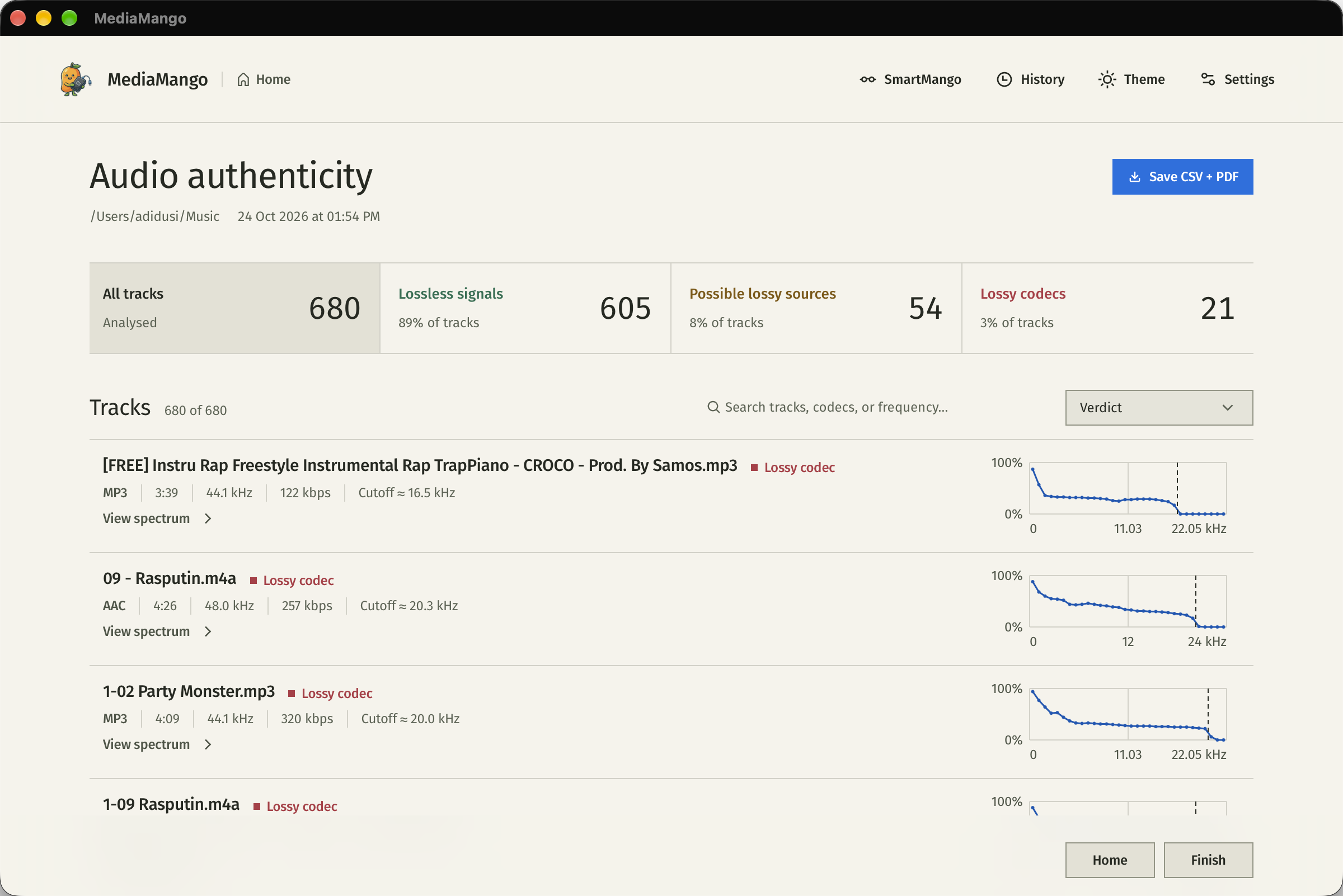
Look beyond the file extension. Analyse a track’s frequency spectrum for lossless signals and possible lossy sources, including compressed audio re-encoded as FLAC. Review the spectrum and frequency cutoff locally in MediaMango.

Explore the Lossless Music Checker
MediaMango Audio Authenticity showing track classifications and frequency spectra

iPhone Importer

Export photos, Live Photos, and videos directly from your iPhone over USB without iCloud sync delays or browser zip downloads. Connect your phone, choose your media, and save it to a local folder on your computer.

iPhone USB setup

Upcoming Features

In development for upcoming MediaMango updates.

Autosort

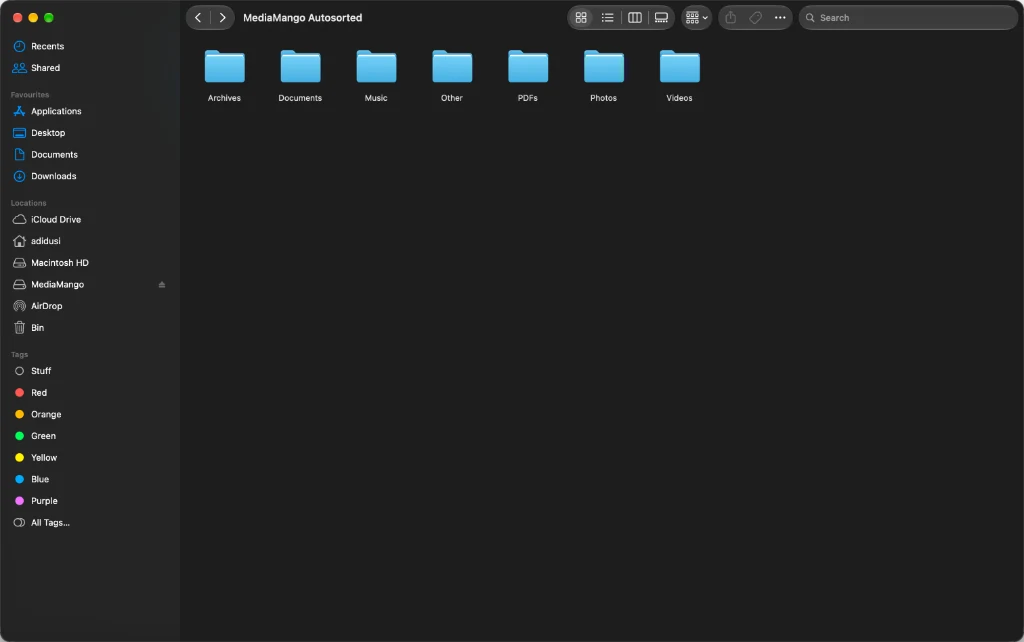
Sort messy Downloads and camera folders into clean directories by file type, date taken, and resolution.

Auto Rename

Batch-rename thousands of files using date, sequence, and metadata patterns with conflict checks before commit.

Linux

Native desktop builds bringing the full MediaMango toolkit to Linux alongside macOS and Windows.

Live Folder Autosort

Watch selected folders on your drive so incoming screenshots, downloads, and exports are sorted automatically.

Get MediaMango

Available for macOS and Windows with a free 48-hour full-access trial on first launch.